
MADEBY LEE.

Design. Websites.
Systems that work.

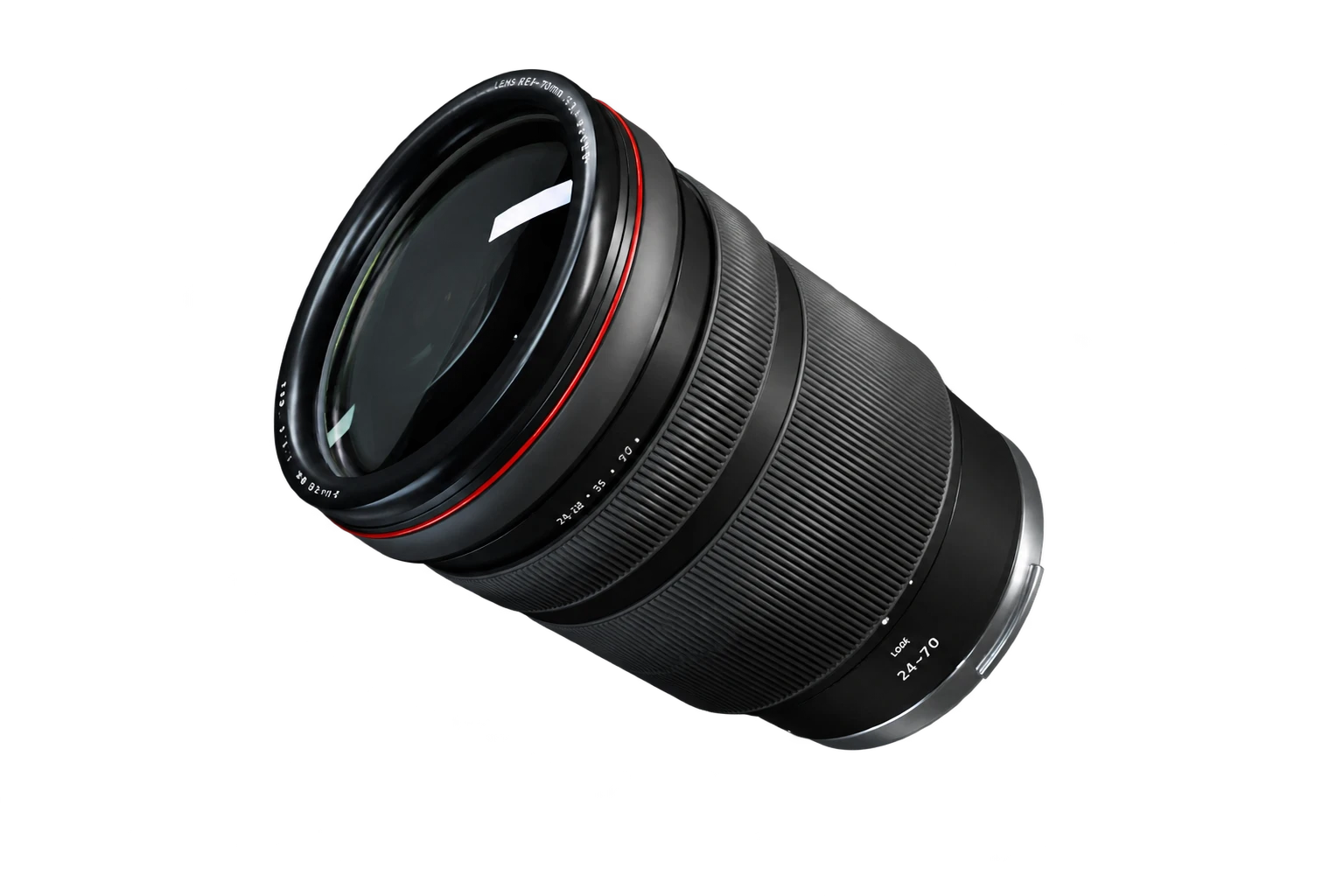
Illustrative lens preview, shown while the interactive model loads

Preparing the lens

Camera lens / Interactive studyLoading live 3D
Independent digital work.Explore the work
Drag to rotate
Scroll to take it apart

Selected work

Websites, product visuals and practical systems. Browse the examples, then tell me what you need.

BestieBoysPersonality, all the way through.

Art direction / Web / Commerce

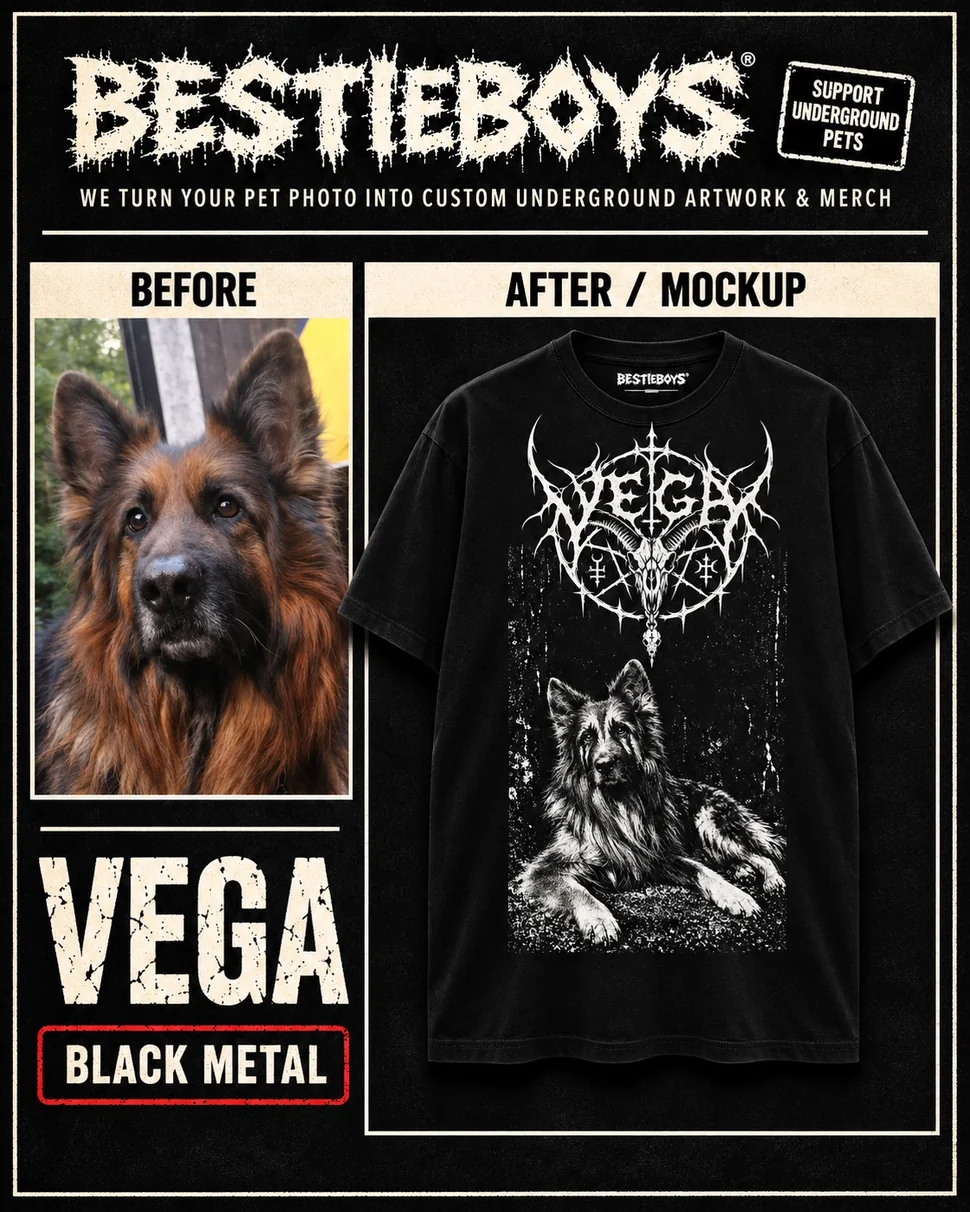
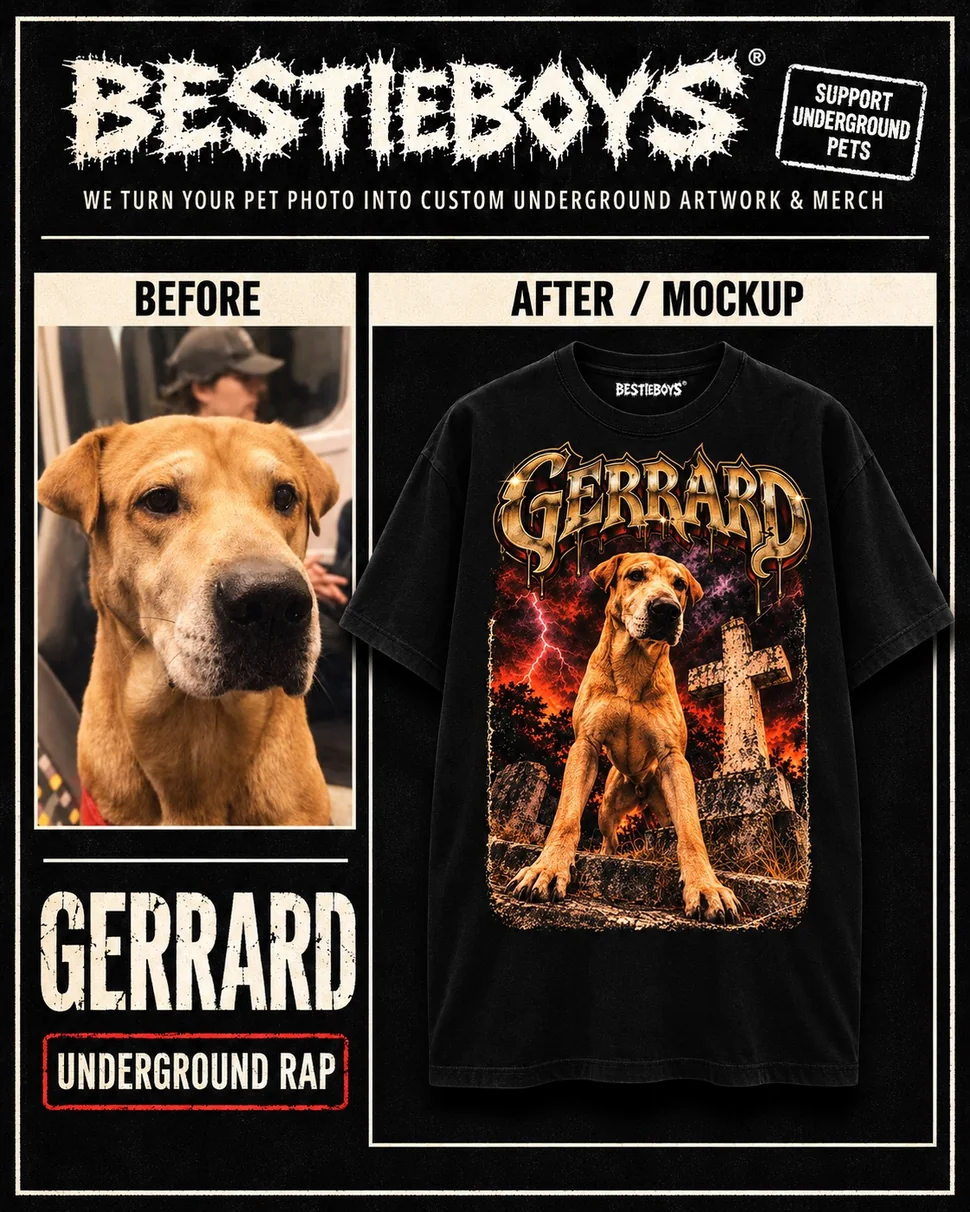
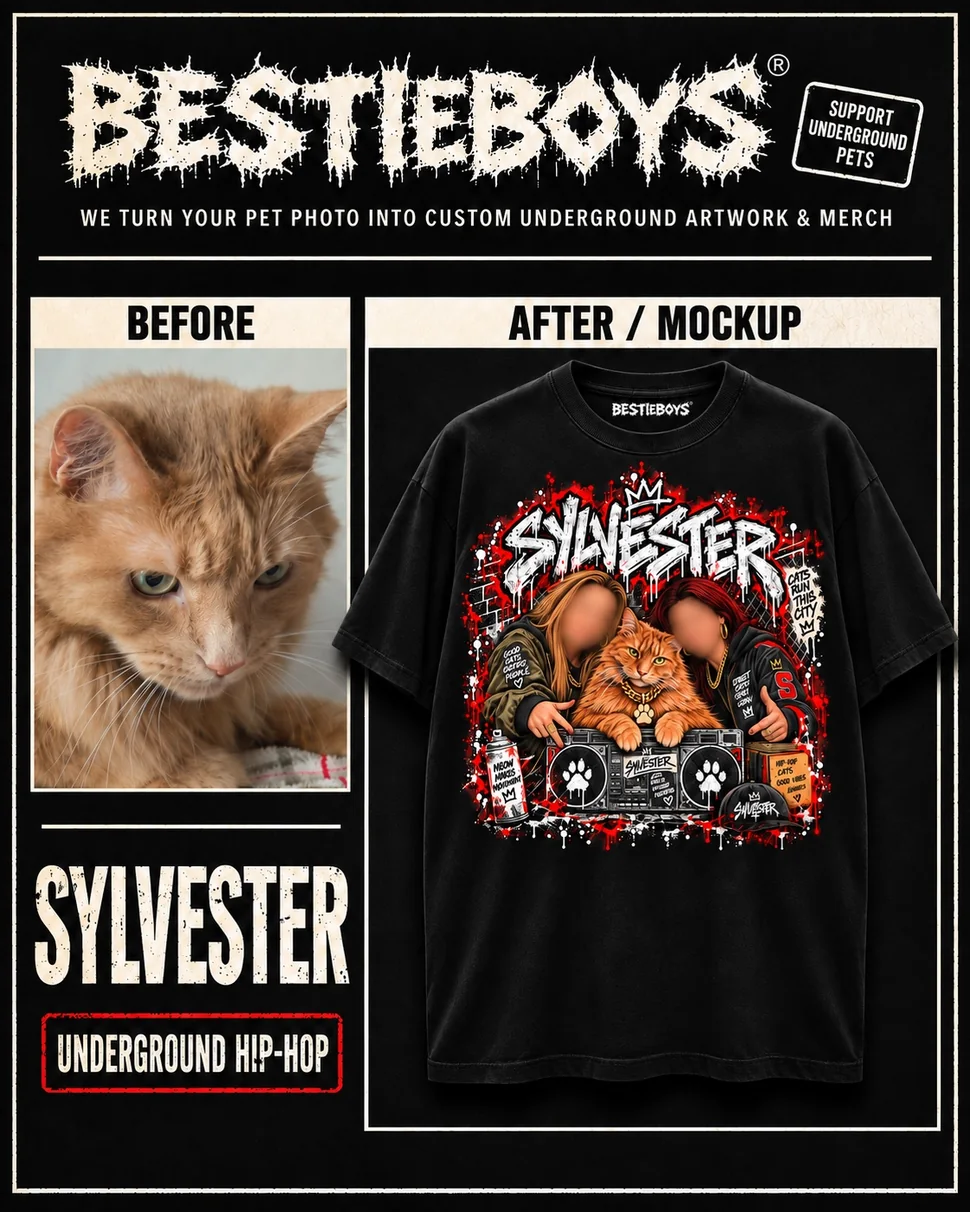
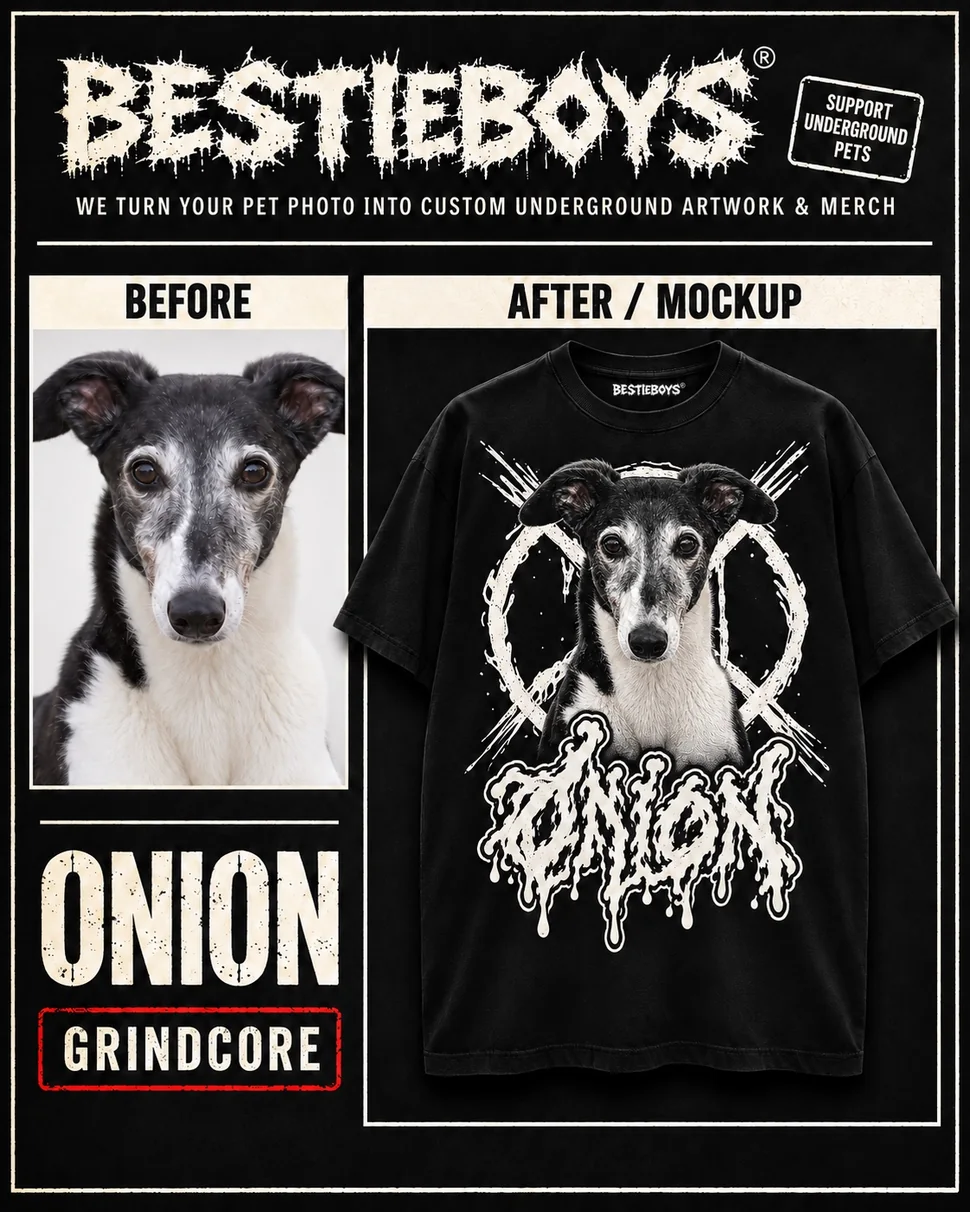
BestieBoys starts with a pet photograph and an idea for its character. That personality carries through to custom artwork and merchandise someone can wear or give as a gift.

Walk through the BestieBoys site

The live BestieBoys homepage showing the pet-to-merch offer, garment comparisons, five-step process and order form.
Make the offer clear

The opening puts the before-and-after example alongside one clear route to ordering.

Captured from the live BestieBoys site.

From a favourite pet photo to artwork with a character of its own.

My part: the brand direction, website, customer enquiry journey, artwork mockups, print preparation and Shopify listing work. I connect the creative choices to the steps needed to offer the product.

Why that matters: a customer needs to understand what they can request and how to describe it. Behind the scenes, an attractive mockup still needs the right artwork file, print placement and an approved listing before it is ready for the next stage.

How I put it together

Carry the character through the journey

  1. Set the visual direction. Bring the artwork, lettering and website into the same distinctive world.
  2. Prepare for the real output. Check approved artwork and print placement separately from a mockup.
  3. Connect the enquiry. Give customers a way to describe the job and check that the brief reaches the business.
  4. Review each handoff. Website design, listing publication and physical production each have their own checks.

That makes the brand easier to carry from the screen into an actual customer order.

What’s in place

The live enquiry flow was tested through backend acceptance, with email receipt confirmed in October. A shirt listing was published to Shopify after approval; print-file placement was checked separately.

What you’re looking at

These cards pair a pet photograph with a garment mockup to show the creative process.
JARVISA working memory
for the business.

WaterPure / Private intelligence workspace

A private dashboard that turns scattered business research into a clear daily briefing.

JARVIS brings WaterPure’s public-web monitoring, website findings, video research and creative assets together, with sources and decisions visible.

See it in use
Open the briefing, inspect a finding, follow its source and review the material. The recorded tour below shows those steps in the actual workspace.
My part
Connecting the information, designing the dashboard and review process, and checking access and permissions.

People stay in charge of what is approved or published.

One-minute demonstration · Recorded actions in the real JARVIS application, with voiceover and captions. Use full screen for the interface detail.

What would it
do for your business?

Start with the work that keeps getting scattered, repeated or missed. A system like this could be adapted around your sources and the decisions your team needs to make.

A retailer
Bring product questions and content research into a reviewable brief.
A service business
Keep relevant research and follow-up priorities in one place.
A creative team
Organise assets, feedback and approval steps around the work.

Potential adaptations. We would agree the data connections, access and review rules for your project.

Tell me the task you keep repeating

Built around a useful distinction:
finding something ≠ knowing it is ready.

How I built the workflow

Make the research usable

  1. Define the sources and questions. Decide what the business needs to watch and retain the origin of each finding.
  2. Connect collection to review. Bring scheduled results into the workspace with dates, status and visible limits.
  3. Design the next decision. Organise briefings, candidates and selected assets so people can see what needs attention.
  4. Test the boundaries. Check permissions and keep drafts separate from material approved for sharing.

A single place to act on research

Monitoring results, SEO findings, video candidates and a creative showcase sit alongside permissions and review states. Draft material stays separate from assets selected for sharing.

Evidence of a working system

The earlier November review recorded mobile and desktop views, permission checks and an 80-search monitoring run. The application was inspected again on 16 November for this tour: the saved run showed 80 of 80 search combinations checked, and the showcase contained 39 assets. These are dated observations, not measures of business impact.

Built with limits visible

Search coverage can be partial. Social account connections and publishing are separate work; JARVIS is not presented as an autonomous posting system. The recording shows navigation, report expansion, asset filtering, film playback and catalogue searches. The monitoring run and website audit are saved results; the demonstration does not trigger a new collection or send replies.

WaterPureDistiller product visuals

3D product visualisation

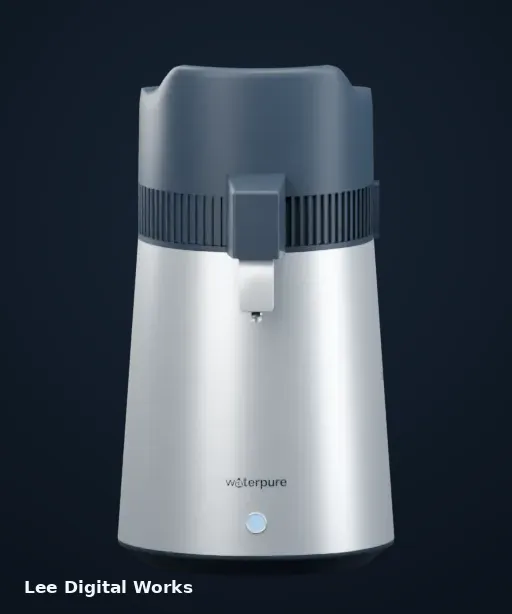
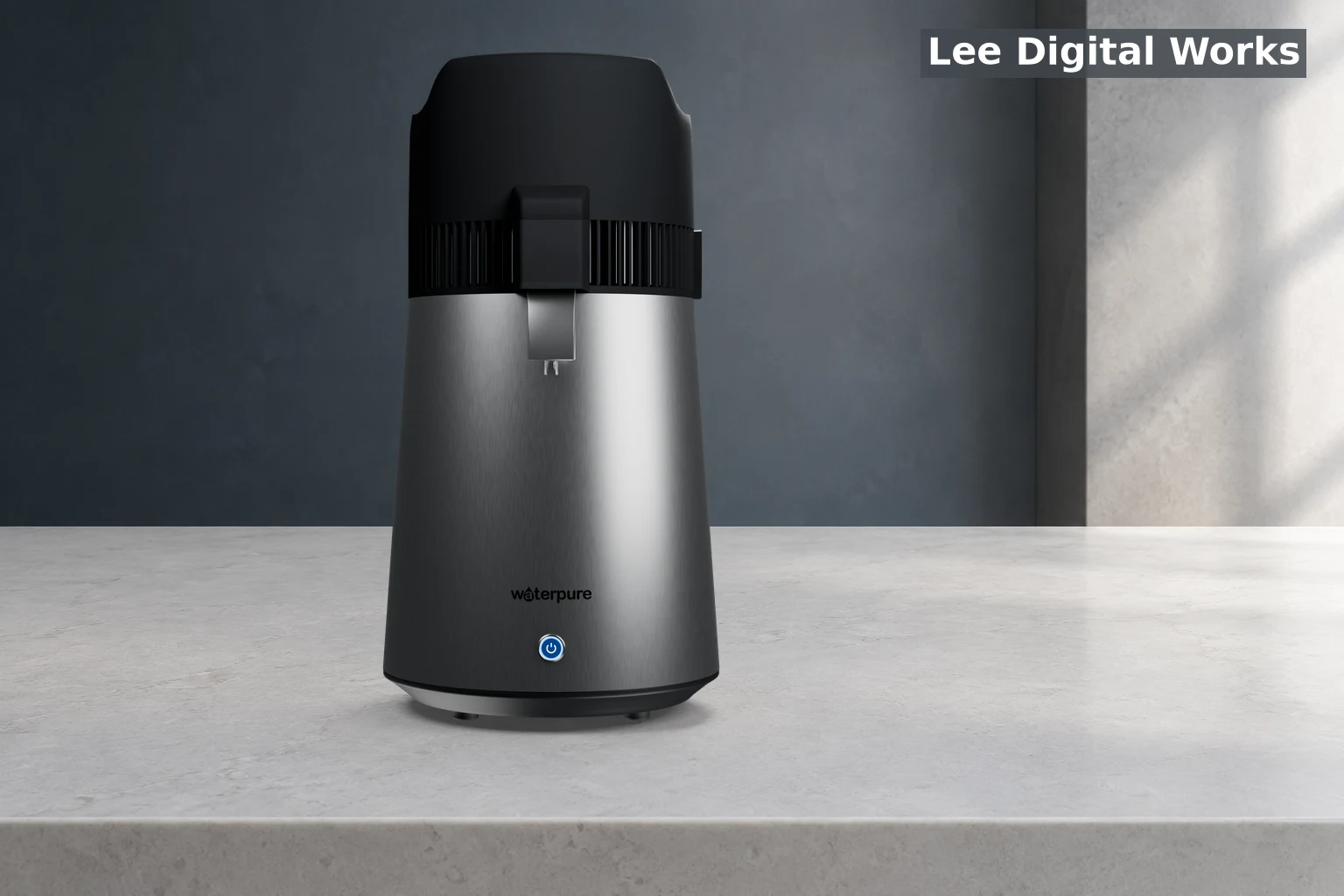
WaterPure makes countertop water distillers. I used 3D visualisation to show how the product looks, with an emphasis on the stainless steel finish, black housing and illuminated button.

A stainless-steel distiller in a kitchen setting.

The lead image shows the product with a softened side light and clean reflections. The exterior study below lets you inspect the shape, nozzle and finish.

WaterPure stainless-steel distiller on a stone countertop in soft side light
Finished product composition
Rotate the exterior study
Front view of the stainless steel WaterPure distiller with matte black housing and an illuminated blue button
WaterPure distiller · Exterior views
Explore the original WaterPure 6L in interactive 3D

This is the actual 6L GLB model. Select Start in the viewer, then drag to inspect the product. The quick image sequence remains available above.

Open the full 3D viewer

Product compositingPut the same product in a new setting

Product image compositing

Create a new setting around a known product image.

I composited an existing product render into a new setting and matched the scale, light direction and shadow. The finished image shows how the same product can be presented in a different space.

Tools I built

Find the right tool for the job.

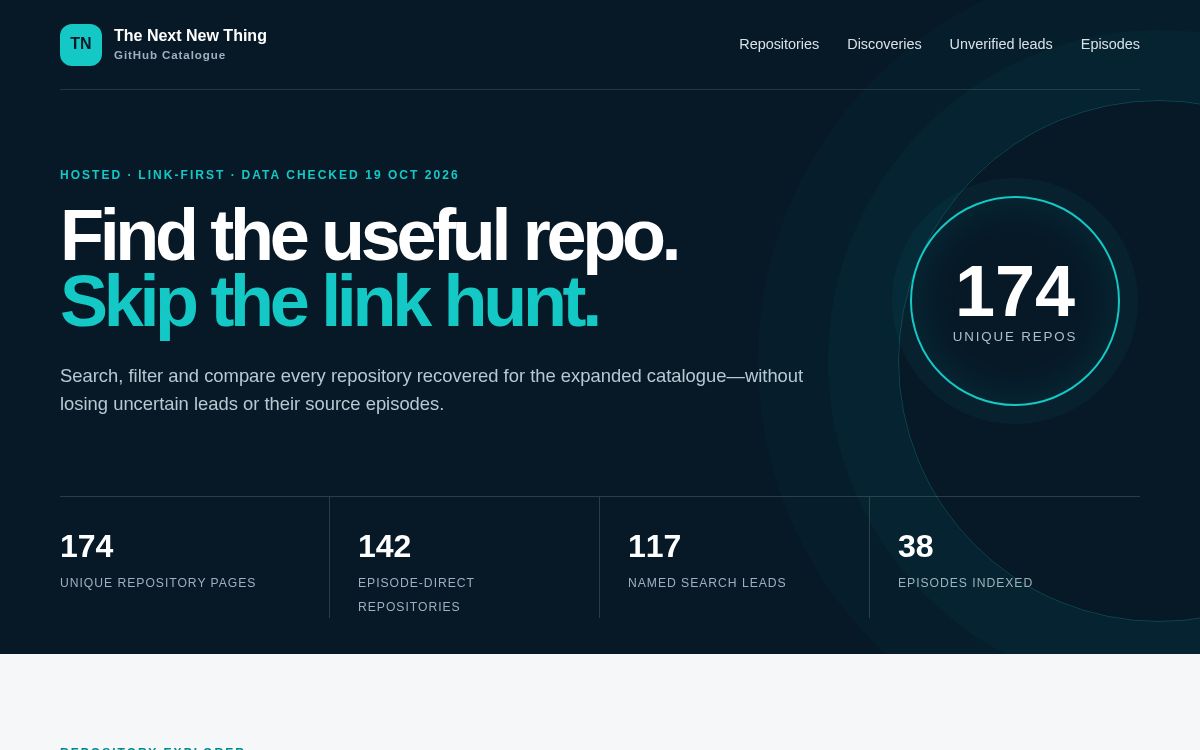
Search a saved collection of tools found through public videos and GitHub. It covers AI assistants, automation, video, audio and website design, and links back to the original developers and source code.

How to use it: search for a repeated task, narrow the results, then check each project’s features, licence and setup before choosing a tool.

My part: the search interface, categories, source records, duplicate removal and review labels. The software belongs to its creators.

This is a saved research catalogue. A discovery is a lead to investigate, not a tested recommendation or a tool installed for you.

How I made the research usable

I defined the search categories, kept the original query with each result, normalised repository links and removed duplicates. Review labels distinguish a discovery from an endorsed tool.

The November dataset check confirmed 2,525 distinct discoveries across 40 searches, alongside the original curated catalogue shown here. Those counts describe research coverage, not software quality.

Search and filter by category, source, licence and activity. Entries retain their discovery query, so you can retrace the research. The 3,721 raw records were deduplicated and overlaps with the curated catalogue removed.

I built the catalogue and research workflow. The underlying repositories and The Next New Thing channel belong to their respective creators. This is an independent research project and a dated snapshot.

Actual interface of the repository catalogue, with search navigation and the original collection of 174 repositories
Recorded catalogue interface · The later discovery dataset is additional to the 174 curated entries shown

Offline Windows toolkit

Toolbox 2026 is a portable collection of Windows utilities with one searchable starting point. It is intended for practical repair and creative work, including situations where downloading a tool at the time is inconvenient or impossible.

How it is used: open the launcher, find the utility needed for the task and use the launch option for a bundled package. The review build includes 25 tool packages; the wider catalogue also contains reference entries.

My part: selecting and organising the tools, building the launcher, packaging the offline files and checking the build. The included utilities are made by their respective developers.

How I assembled the toolkit

I organised the tool catalogue, connected entries to launchable packages and prepared an offline build. Launcher self-tests and mounted-package checks verify the handoff rather than relying on the menu looking finished.

The saved 1.2 review build records successful launcher self-tests, static checks and ISO mount/readback. It is a verified review package, not a commercially released product.

My contribution is the launcher, organisation, packaging and verification. The included third-party tools retain their own authorship and licences.

VideoFinderSearch across video sources.

Search interface / Video discovery

Build one search and choose where to look.

The walkthrough shows how VideoFinder narrows a query, opens a search on its original source and can preview supported results when search providers are connected.

19-second illustrated walkthrough

The decisions behind
the result.

I use AI throughout research and production. My work is to set the direction, connect the tools, decide what good looks like and test the result against the real task.

Choose a step to see where the work happens.

What needs to be clearer, easier or more useful? For JARVIS, that meant bringing scattered research into a workspace where the next decision is visible.
The visual direction. The source material. What a tool may change. In the image studio, the product stays separate from the AI-generated setting.
A useful result needs more than an output. BestieBoys connects the artwork, customer brief, website and production preparation into a coherent journey.
Test the interaction, inspect the files and keep review separate from approval. An attractive image, a working prototype and something ready to publish are different milestones.

The value is in the decisions, the connections and the care taken to make the result useful.

Different outputs.
The same attention to how they work.

Let’s make something useful

What I
work on.

From the visual idea to the system that makes it useful.

Explore freelance services
Websites & ecommerce

Help visitors understand your offer and take the next step. This can mean a product page that explains the details, a website that works on a phone, or an enquiry journey that gathers a useful brief. I handle Magento and Hyvä implementation, HTML and CSS repairs, and the content and layout that help visitors enquire or buy.

  • Magento / Hyvä
  • Landing & product pages
  • Mobile layouts
Product & image

Give people a clearer view of what you sell. I work on product imagery, image cleanup, brand graphics, 3D presentations and explanatory animation, choosing the format around what the customer needs to see or understand.

  • Product visualisation
  • Image editing
  • Brand & social graphics
AI & practical systems

Bring scattered information or repetitive production steps into a usable workflow. That could be a research catalogue, a private briefing dashboard or an image-production tool. We start with the task, connect the relevant tools and make review and approval part of the process.

  • Research & dashboards
  • AI production workflows
  • Automation & review

Design eye.
Developer mindset.

I work across visual design, websites, ecommerce and AI workflows. BestieBoys and WaterPure have given me room to connect those disciplines: making the assets, building the interfaces and joining up the work behind them.

I use AI as part of the process, with source checks, visual judgement and real testing. Bring a product, a business problem or an idea that needs to become something you can use.

Tell me what you’re working on

What are you
working on?

A new project. A better product page.
Something that needs fixing.

info@bestieboys.co.uk

Every project starts with an agreed scope and quote. The examples show possible deliverables; they are not fixed-price packages.

Opens your email app with the brief ready to send to info@bestieboys.co.uk. Press Send in your email app to deliver it. Your draft stays in this browser until you open it in your email app, copy it or save it. Lee uses emailed details to discuss your project. Please leave out passwords and customer records.